
Phase Display
See Disperse and Reverse at work over a live spectrum of your track, and shape them by dragging the nodes.
Overview
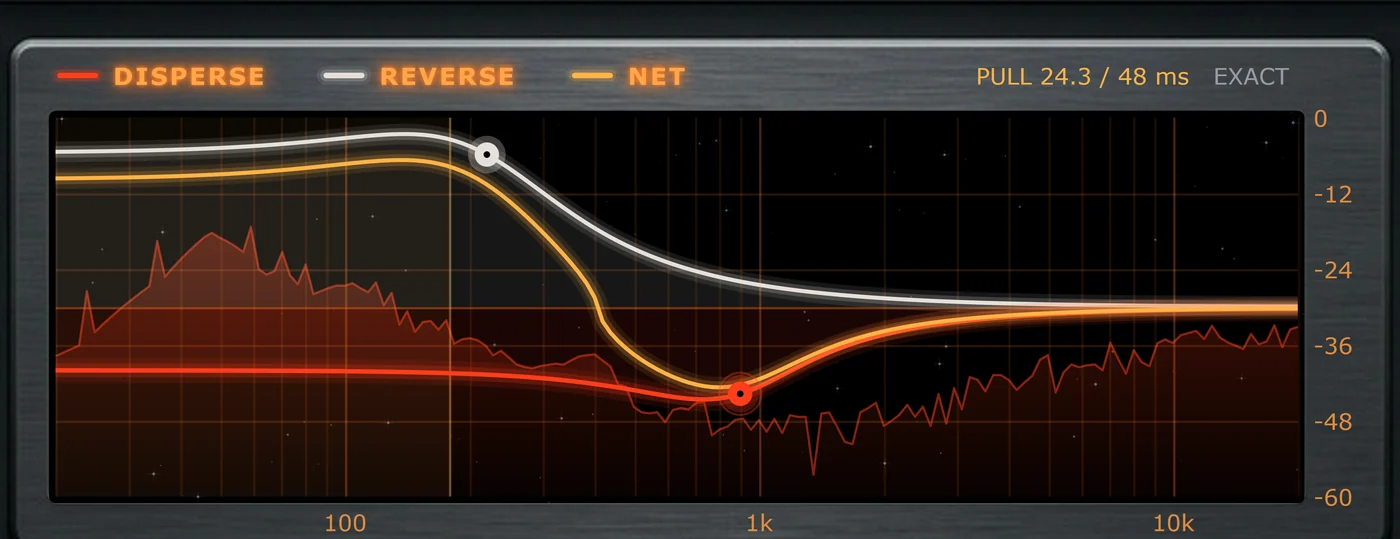
The display draws three curves showing how much each frequency is moved in time:
- Disperse (red): the lag Disperse adds.
- Reverse (white): the pull Reverse adds.
- Net (orange): the two combined, which is what you hear.
Behind them runs a live spectrum of your output, with its own dB scale on the right (0 to −60). It's tilted so a typical mix reads roughly flat.
Editing with the nodes
The red node is Disperse's Freq and Q; the white node is Reverse's. While your mouse is over the display, the header shows a reminder of the gestures.
| To do this | Do this on the display |
|---|---|
| Move the frequency | Drag a node left or right. |
| Change Q | Drag a node up (narrower) or down (wider), or scroll over it. |
| Make fine moves | Hold Shift while you drag or scroll. |
| Reset a node | Double-click it. |
| Set Skew | With Link on, the white node is hollow. Drag it sideways. |
| Pick a node, toggle Link, or reset | Right-click anywhere on the display. |
Clicking empty space drags whichever node you used last, so a click on the display is never wasted.
The PULL readout
In True mode, the top right shows how far Reverse reaches back in time against the window the current Quality tier gives it, for example PULL 24.3 / 48 ms, followed by a status:
| Status | Meaning |
|---|---|
| Exact | Reverse fits comfortably and is reconstructed exactly. |
| Tight | It fits, with little room to spare. |
| Partial | Reverse reaches back further than the window, so part of it is reconstructed. |
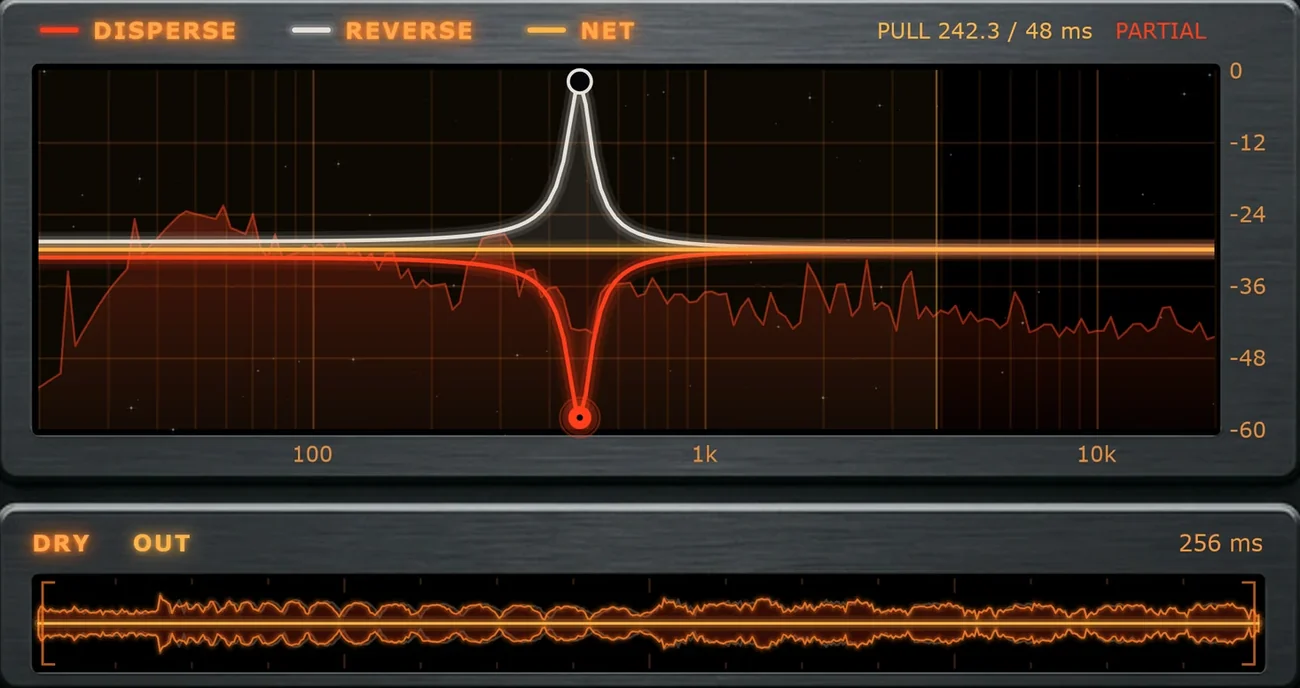
Partial isn't an error. A perfect reconstruction can cancel some of the phase effect back out, so a little Partial often sounds more interesting. For Exact, raise Quality, raise the Reverse frequency, or lower its Q. The shaded area at the low end shows the range the current tier can't fully resolve.
In Live mode there's nothing to reach back for, so the same spot shows the spread instead, for example +/- 12.9 ms: how far the curves move frequencies earlier or later.
The Dry / Out scope
Under the display, the scope draws the dry signal and the output over the last 256 ms. Watch a transient's shape change as you turn Disperse and Reverse, and check that the output still lines up with the dry hit.