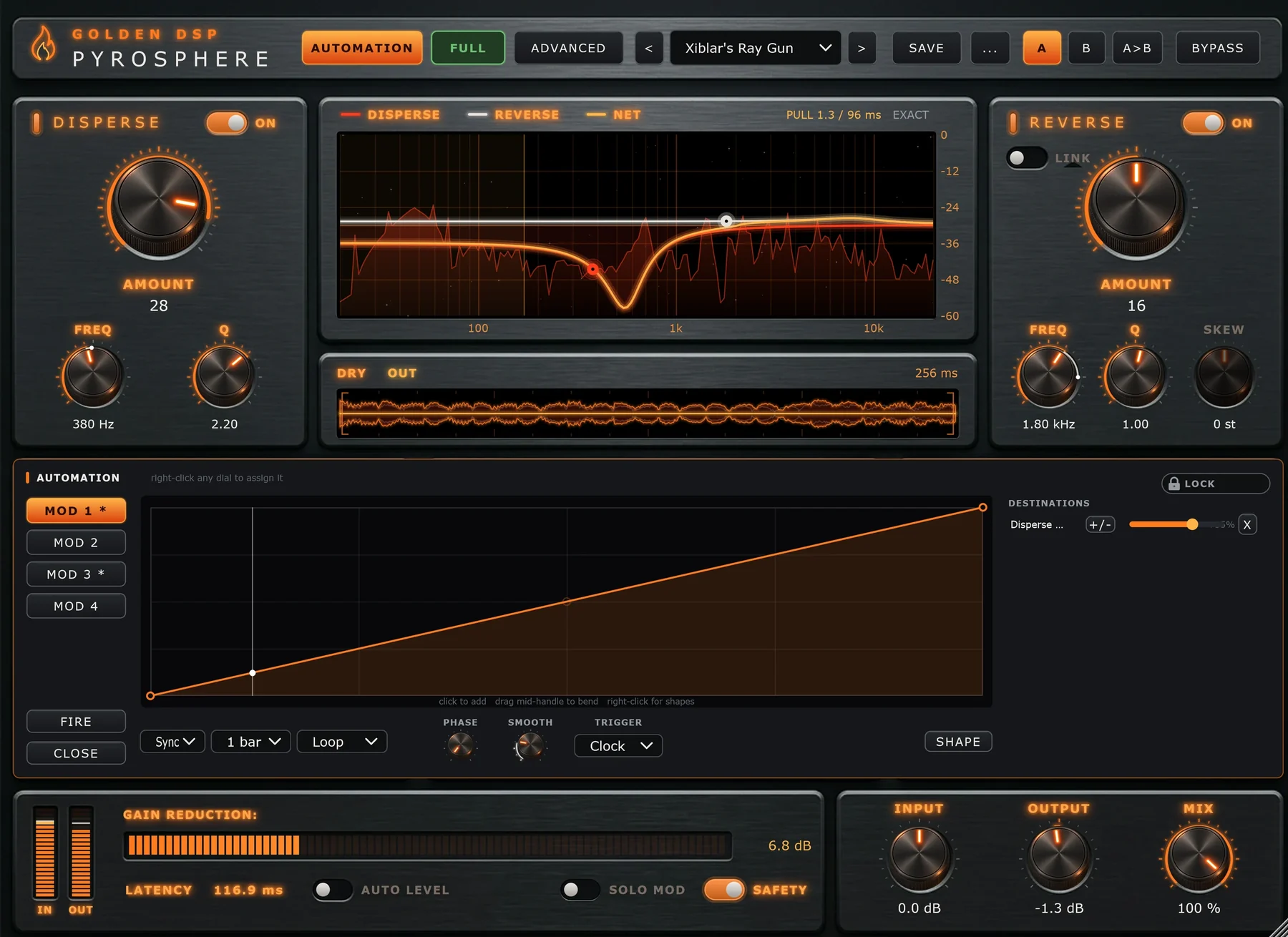
Modulators
Every dial can move. Four built-in modulators with hand-drawn curves can drive almost any control, in time with your song or triggered by the audio itself.
Two kinds of automation
Pyrosphere's modulators
Live inside the plugin and are saved with presets. The dial you set stays where you put it, and a ring shows where modulation is taking it. Your DAW's automation lanes are never touched.
DAW automation
Every Pyrosphere control is exactly one automatable parameter. Record or draw lanes in your DAW as you would for any plugin. Both kinds can run together.
Assign a dial
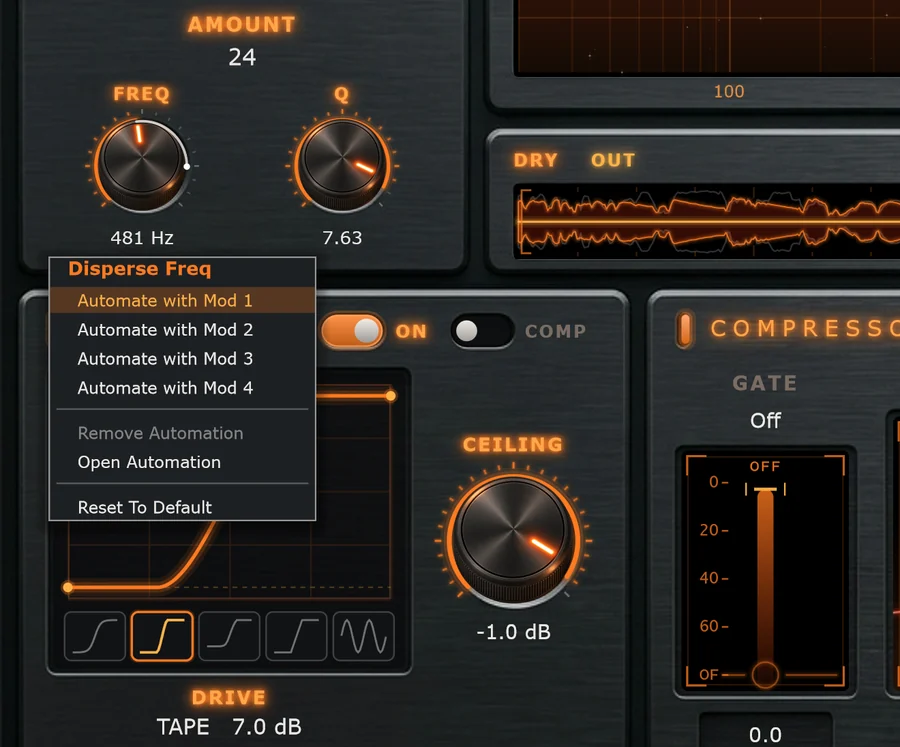
- Right-click any knob, the Drive curve, or the Comp or Gate fader.
- Choose Automate with Mod 1 (or 2, 3 or 4). The Automation panel opens on that slot.
- Set the depth in the slot's Destinations list. New assignments start at 50%, one-directional.
- Press play. The dial's ring shows the movement.
The same menu has Remove Automation, Open Automation and Reset To Default. You can also open the panel any time with the Automation button in the header.
The Automation panel
1 Hover or tap a number to see what that part does.
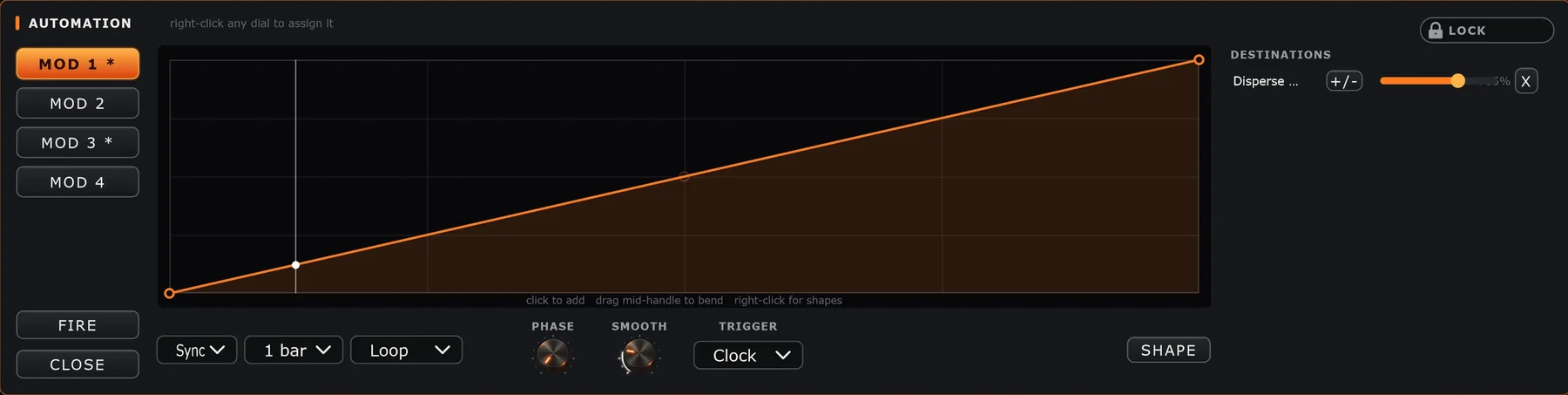
- 1Mod 1–4: pick a slot. An asterisk means the slot is driving something.
- 2Curve editor: one cycle of the movement. Draw a curve
- 3Fire starts the slot by hand, whatever its trigger. Close hides the panel.
- 4Sync / Free, the cycle length and the mode. Timing
- 5Phase and Smooth, plus Rate when the slot runs Free.
- 6Trigger: what restarts the curve, plus Thresh for Audio. Triggers
- 7Shape loads a starting shape into the curve.
- 8Lock keeps this automation when you change presets. Automation Lock
- 9Destinations: what this slot moves, and by how much. Destinations
While the panel is open it covers the Drive, Compressor and Engine panels. Disperse, Reverse and both displays stay visible, so you can watch the modulation happen.