
Drive
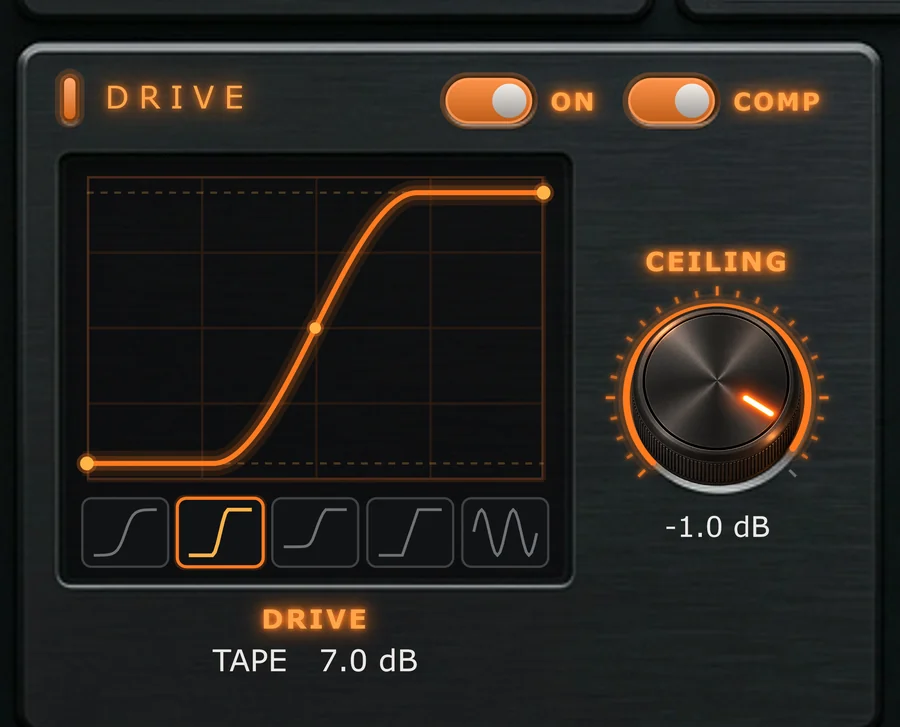
A live picture of the saturation curve. What you see is what the signal goes through.
Overview
Drag inside the curve box to set how hard the signal is driven, click a thumbnail to change the shape, and watch the curve bend. The readout under the box shows the shape and the amount, for example TAPE 7.0 dB.
On
Switches Drive in or out.
Heat
Sets how hard the signal is driven into the shape.
Drag up or down inside the curve box, or scroll over it. Hold Shift for fine moves, and double-click the box to reset.
Shape
Chooses the saturation curve.
| Shape | Character |
|---|---|
| Soft | Gentle, rounded saturation. |
| Tape | Warm compression of peaks. |
| Tube | Rich, slightly asymmetric colour. |
| Hard | Firm clipping with an edge. |
| Fold | Wavefolding: peaks fold back on themselves for metallic, aggressive tones. |
Ceiling
Sets where the shape flattens out.
The dashed lines in the curve box show it.
Comp
Drive Compensation: evens out the level as Heat rises.
With Comp on, turning Heat up changes the tone without simply getting louder, so you can judge what the drive is doing.
Bias
Pushes the waveform off-centre before shaping, for even harmonics.
Watch the curve go lopsided as you turn it. Find it in the Advanced drawer.
Hard and Fold create more high harmonics. Raise Oversampling in the Engine panel to keep them clean when you push them.