
Engine
Choose between the full-quality engine for mixing and a zero-latency engine for tracking, and decide how much time and oversampling it gets.
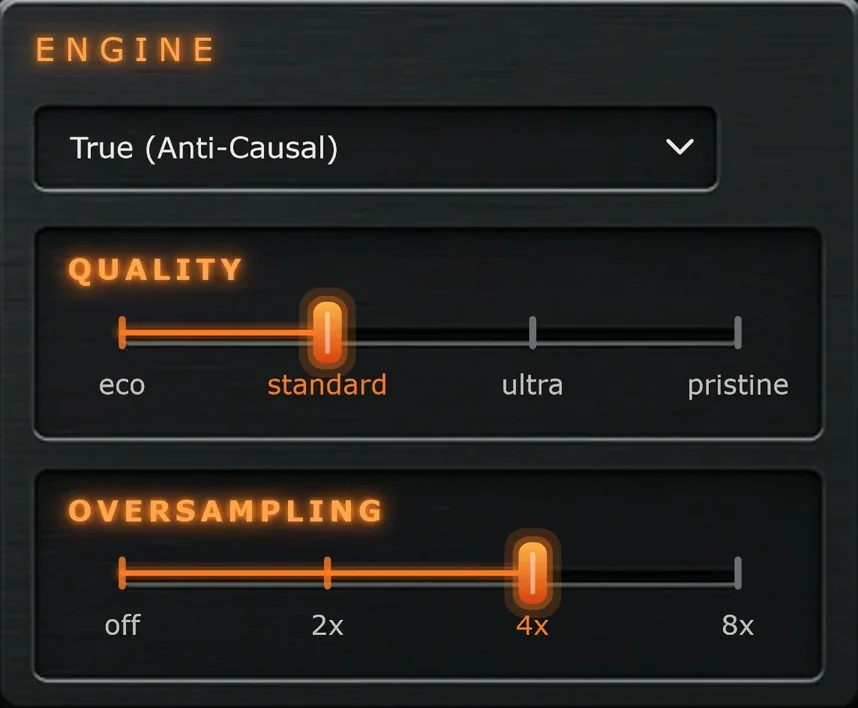
Engine mode
True (Anti-Causal)
The full-quality engine. Reverse really pulls energy in ahead of each hit. It adds latency, which is reported to your DAW and compensated automatically.
Use it for mixing, mastering and bouncing.
Live (Zero Latency)
No latency from the engine. Reverse can't reach backwards, so it deepens the sweep instead and has a character of its own.
Use it for tracking, playing and singing through the plugin.
Quality
How much time the True engine gets to work with.
Higher tiers stay exact further down into the low end, at the cost of more latency and CPU. Quality only matters in True mode.
| Tier | Engine latency at 48 kHz | Good for |
|---|---|---|
| Eco | about 30 ms | Big sessions and quick sketching. |
| Standard | about 60 ms | Everyday mixing. |
| Ultra | about 110 ms | Bass-heavy material and detailed work. |
| Pristine | about 215 ms | Final mixdown and mastering. |
Higher isn't always better. A tier that leaves the PULL readout at Partial can sound more interesting than Pristine. Let your ears decide.
Oversampling
Keeps the Drive's harsher shapes clean.
Oversampling runs around the Drive stage. It's linear-phase, so Reverse can still undo Disperse exactly. Higher settings use more CPU and add a little latency.
Latency
The Latency readout in the footer always shows the total delay Pyrosphere reports to your DAW. It adds up like this:
| Mode | Total latency |
|---|---|
| True | The Quality tier's engine latency, plus Lookahead and Oversampling. About 64 ms at the defaults. |
| Live | Only Lookahead and Oversampling: about 2 ms with the default Lookahead, about 3 ms with 4x Oversampling as well, and 0 ms with Lookahead at 0 and Oversampling off. |
Your DAW compensates for the reported latency on playback, so tracks stay in time. You only hear it when you monitor live input through the plugin, which is what Live mode is for. Set Lookahead to 0 and Oversampling to Off for the lowest possible latency.