
Pyrosphere Manual
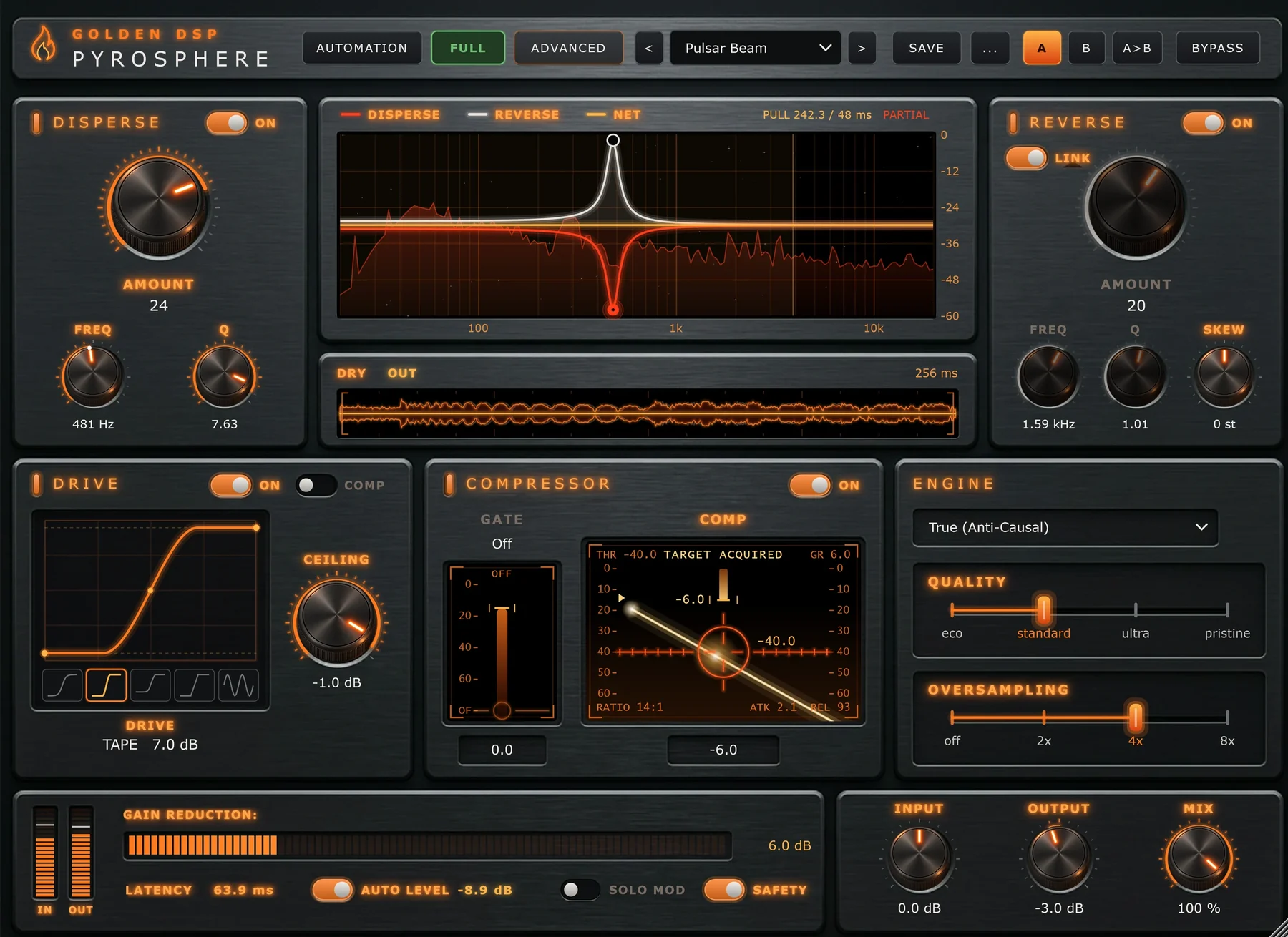
Pyrosphere changes how a sound unfolds in time. It can stretch a hit out after it lands, or pull energy in ahead of it, then drive, compress and gate the result. It's the first Reverse Disperser of its kind, on one insert.
Protect your hearing. Some presets are louder than others, so click through loud sounds and mixer tracks at a safe volume.
What Pyrosphere does
Most effects change what a sound is made of. Pyrosphere also changes when parts of the sound arrive, with two sections that work on time:
- Disperse lets some frequencies lag behind others, so a sharp hit turns into a short sweep that trails after it. Turned up, it's the classic laser or zap. Turned down, it adds depth and weight.
- Reverse does the opposite. It pulls energy in ahead of the hit, so a transient arrives with a rush instead of a click, and drums and vocals step forward without just getting brighter.
Between them sit a five-shape Drive, a Compressor you play with one fader, and a soft-knee Gate. Four built-in modulators can move almost any dial, and a Safety clipper keeps the output under −0.1 dBFS.
Where to start
Who this manual is for
Everyone who uses Pyrosphere. If you're new to plugins like this, read The Main Window and follow the Quick Start. If you're experienced, every control's range and default is listed on its own page, and the Sound Design Playbook shows what the engine can do.
Control names appear the way the plugin prints them, like Comp or Solo Mod. Press Ctrl K or / anywhere to search.
What's included
| Item | Details |
|---|---|
| Windows | VST3 and AAX, 64-bit. An installer, plus the plugin folders for installing by hand. |
| macOS | VST3, AU and AAX in a signed, notarized installer package |
| Factory presets | 148 presets in 8 categories |
| User presets and A/B | Save your own sounds and compare two settings |
| Free trial | 20 days, every feature, no payment needed to start |
| Updates | Guaranteed for 5 years |
There's no dongle and no subscription.